1. Introduction & Motivation
In the world of SAP basis and development, downloading SAP Notes is a daily task. However, doing this manually through a browser or using complex wget commands can be tedious, especially when dealing with mTLS (mutual TLS) authentication required by the SAP Support Portal.
To streamline this workflow, I developed SapNoteDownloader—a Java-based GUI application designed to handle certificate-based authentication and batch downloads with ease.
2. Key Features
- mTLS Security: Full support for PFX (PKCS12) certificates and password-protected authentication.
- Batch Processing: Instead of downloading files one by one, users can simply paste a list of Note numbers to download them all at once.
- Standardized Naming: Automatically renames downloaded files to the SAP standard format (e.g., 0001668821_00.SAR).
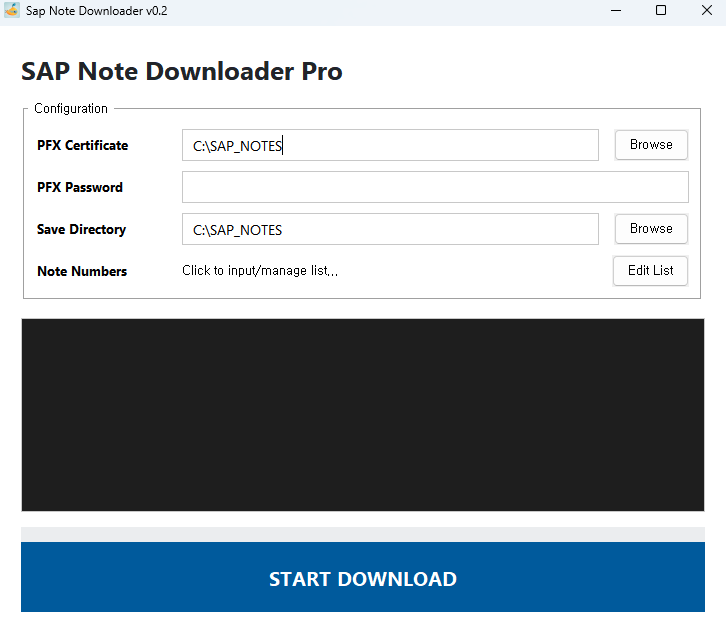
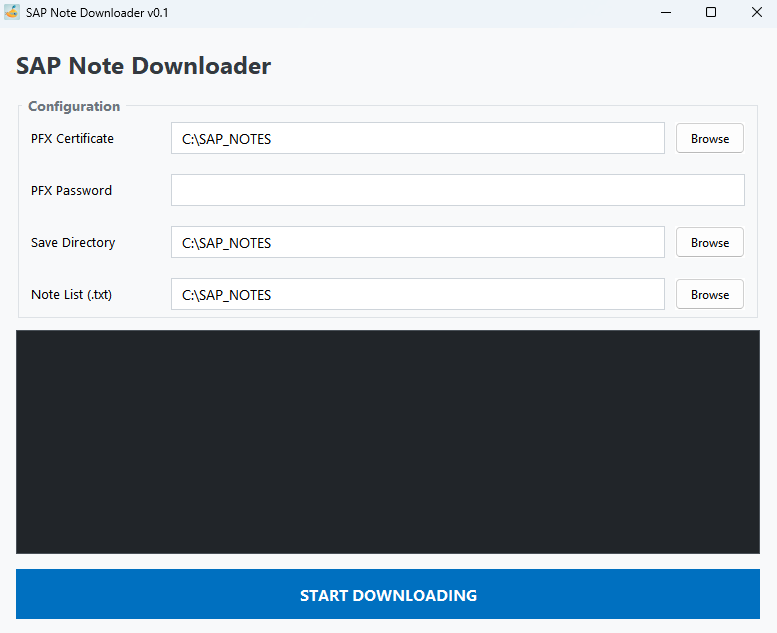
- Modern GUI: A clean, intuitive interface featuring a high-visibility action button and a real-time log console.
3. Technical Deep Dive
① Handling mTLS in Java
The heart of this tool lies in its ability to communicate with SAP's secure servers. Using Java 11’s HttpClient, I implemented a custom SSLContext.
The application loads the PFX certificate using a KeyManagerFactory, ensuring that the private key and certificate chain are correctly presented during the SSL handshake. It also handles the multiple HTTP 302 Redirects that occur during the SAP authentication process.
② UI/UX Enhancements
I moved away from the default, dated look of Java Swing to create a more "professional tool" feel:
- Visual Hierarchy: The "START BATCH DOWNLOAD" button uses a deep SAP Blue to guide the user's eye toward the final action.
- Dark Mode Console: The log area uses a dark background with high-contrast text, making it easy to monitor the success or failure of each download at a glance.
4. How It Works
- Set Paths: Set the base directory (Default: C:\SAP_NOTES).
- Authenticate: Select your PFX certificate and enter the password.
- Input Notes: Click "Edit Note List" to paste multiple SAP Note numbers.
- Execute: Hit the big blue button and watch the real-time logs as files are secured.
The next step for this project? Adding an auto-extraction feature that uses SAPCAR to unpack the .SAR files immediately after download.
'IT > SAP' 카테고리의 다른 글
| System hang caused by http_mlog_list (0) | 2025.12.02 |
|---|---|
| When the 'Access unsafe site' option does not appear in Chrome (0) | 2025.11.24 |
| [HANA] Replication Mode (0) | 2025.11.19 |
| Prerequsite additional lib for HANA on SLES (0) | 2025.08.22 |
| HANA Studio Usage Tips (0) | 2025.07.22 |